
In short, y77 (v1.6.5.9) is a compact Android app for quick sessions, with a clean lobby and a tidy account area. It keeps the learning curve short for new installs.
Meet y77
y77 has become a familiar name among Android players looking for lightweight, phone-first entertainment. The result is a calmer, more predictable session.
y77 version and file facts
The installer needs a little free space beyond the APK size, so keep a margin on full devices.
What Other Players Are Trying
If you enjoy browsing what is popular, the site highlights S9PLUS register. It is a small detail that matters over weeks of use.
Sessions resume where they stopped, even after a full device restart. It leaves room for the rest of your phone to do its job.
Menus stay shallow: nothing in y77 is buried more than two levels deep. The result is a calmer, more predictable session.
How to Download and Install y77 APK
1. Check that the device has a little free storage before starting.
2. Allow installs from this source if Android shows the prompt.
3. Approve the permission list only if it matches what the app needs.
4. Launch y77 and allow only the permissions you recognize.
5. Bookmark the official page so the next update is easy to find.

Keeping Your Account Secure
If a screen freezes, close y77 from the recent-apps view and reopen it. That decision keeps the app approachable for newcomers.
Account recovery depends on accurate details, so enter real information during registration. The choice fits how most people actually use a phone.
Balanced View of y77
- No mandatory tutorial before first use
- Shallow navigation with clear labels
- Fast, lightweight lobby that opens in seconds
- Feature depth is intentionally limited
- Some sections depend on regional availability
Heavier platforms offer more sub-features, but y77 answers with consistency and fewer surprises. The behavior stays consistent across versions.

What Is New in 1.6.5.9
Each y77 release keeps your preferences; updates never reset display settings. This keeps day-to-day use predictable.
Core Features in 1.6.5.9
The app remembers display preferences per device instead of tying them to the account. Long sessions reveal the difference more than quick checks do.
Search inside y77 reaches any section without scrolling through the full list. It keeps the learning curve short for new installs.
Notifications are opt-in, so the app stays quiet unless you enable reminders. Nothing here asks more of your device than necessary.
Progress survives a cache clear, because saved history lives on the account rather than only on the phone. Returning users notice the same behavior every time.
The interface stays readable on small screens, with buttons sized for one-handed use and text that scales with system settings.
Clear the app cache from Android settings if a screen ever misbehaves. You feel the difference most on a busy phone.
y77 vs Similar Apps
Competitors with more sections often take longer to reach the same screen, which is the trade y77 avoids. Long sessions reveal the difference more than quick checks do.
Local Notes
Players in many regions often search y77 alongside local payment options. It is a deliberate trade that favors reliability.
Withdrawal processing is not instant on most methods; plan accordingly. The approach holds up after a few weeks of regular use.
How y77 Works
At its core, y77 is a mobile-first platform built around short, repeatable sessions. Reviews tend to mention this point first.
Deposits and Withdrawals
Verify recipient details before confirming any transfer, and keep confirmations until it settles. This keeps day-to-day use predictable.
Managing Your y77 Login
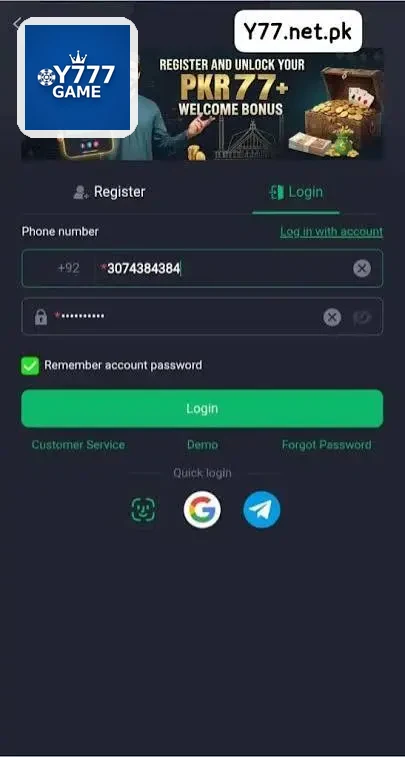
Signup is free and takes a couple of minutes on a stable connection. Most of the polish is invisible until you need it.
Making the Most of y77
Restart the device before reinstalling; it resolves more issues than expected. Power users will appreciate that it stays out of the way.
Notable y77 Features
Text scales with system font settings without breaking the layout. It is a small detail that matters over weeks of use.
Version 1.6.5.9 trims screen-to-screen waiting noticeably compared with earlier releases.
Buttons are sized for one-handed use, with spacing that avoids mis-taps on smaller phones. Nothing here asks more of your device than necessary.
Prefer Wi-Fi for media-heavy sections to save mobile data.
What y77 Does
The 1.6.5.9 build of y77 keeps the same core idea as earlier versions, with a tidier lobby and fewer loading screens. It scales from older phones to current ones without drama.
Feature parity matters less than reliability, and y77 chooses the latter where it can. Power users will appreciate that it stays out of the way.
Popular Picks Alongside y77
Rankings aside, PKACE bonus offers a useful contrast to y77.
Wallet Basics
A welcome offer, if present, activates from the promotions tab after registration.
The Case For and Against y77
- Fast install
- Readable text at system scale
- Separate entertainment and account areas
- Low battery impact
Some features depend on region, which is the main caveat.
y77 in Your Region
Downloads served from the official page are the same build worldwide, only the extras differ. The approach holds up after a few weeks of regular use.
Offer availability varies by region and account status. That decision keeps the app approachable for newcomers.
Account and Profile Basics
Verification codes expire quickly; request a new one instead of retrying an old code.
Frequently Asked Questions
What Android version do I need?
The build supports a wide range of devices; check the download page for the current minimum.
Can I recover a forgotten password?
Yes, use the recovery link on the login screen and confirm through your registered email or number.
Is my payment information stored in the app?
Payment details are handled by the listed providers; y77 shows records rather than storing card numbers.
Does y77 use much mobile data?
Daily use is light; media-heavy sections use more, so prefer Wi-Fi.
What is y77?
y77 is a mobile Android app focused on quick sessions and simple navigation.
What is new in 1.6.5.9?
Stability fixes and interface polish; the download page lists the specifics.
How do I update y77?
Download the newest APK from the official page and install it over the existing build.
Conclusion
Overall, y77 does the basics well; install from the official page and it runs as described. The trade-off is visible only to people who compare closely.
تبصرے